
How to login to the email
visit outlook.com click sign in you will be redirected to the Microsoft login page.
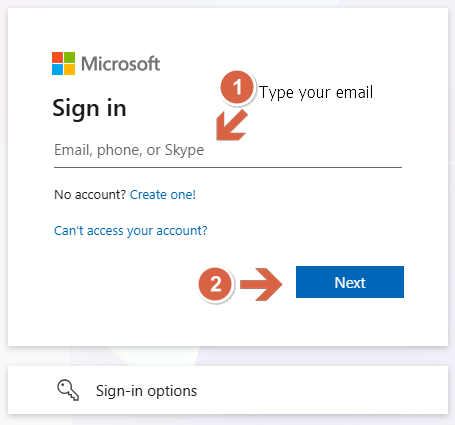
Once you click next you will be redirected to UoM ID (UoM SSO Portal)
Make sure the URL is auth.uom.ac.lk of the portal.
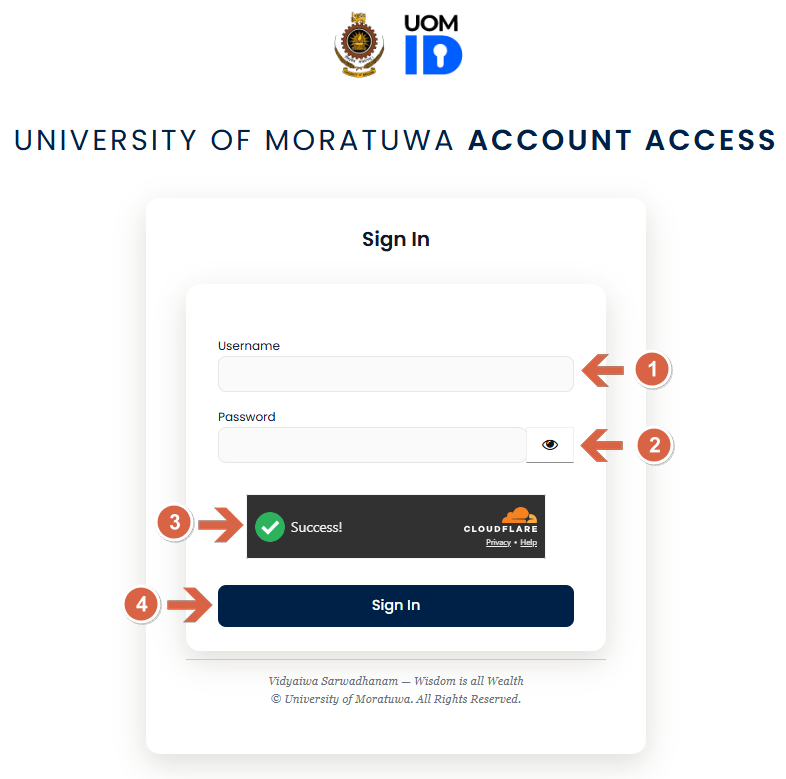
Provide your login credentials
1. Your username: If your email is johndoe@mail.uom.ac.lk your username will be johndoe
2. Password: Your UoM account password
3. Wait until you see the green ✅ before clicking Sign in
4. Click sign In you will be redirected to the OTP page