# How to Use the Host Key to Claim Host Role in Zoom
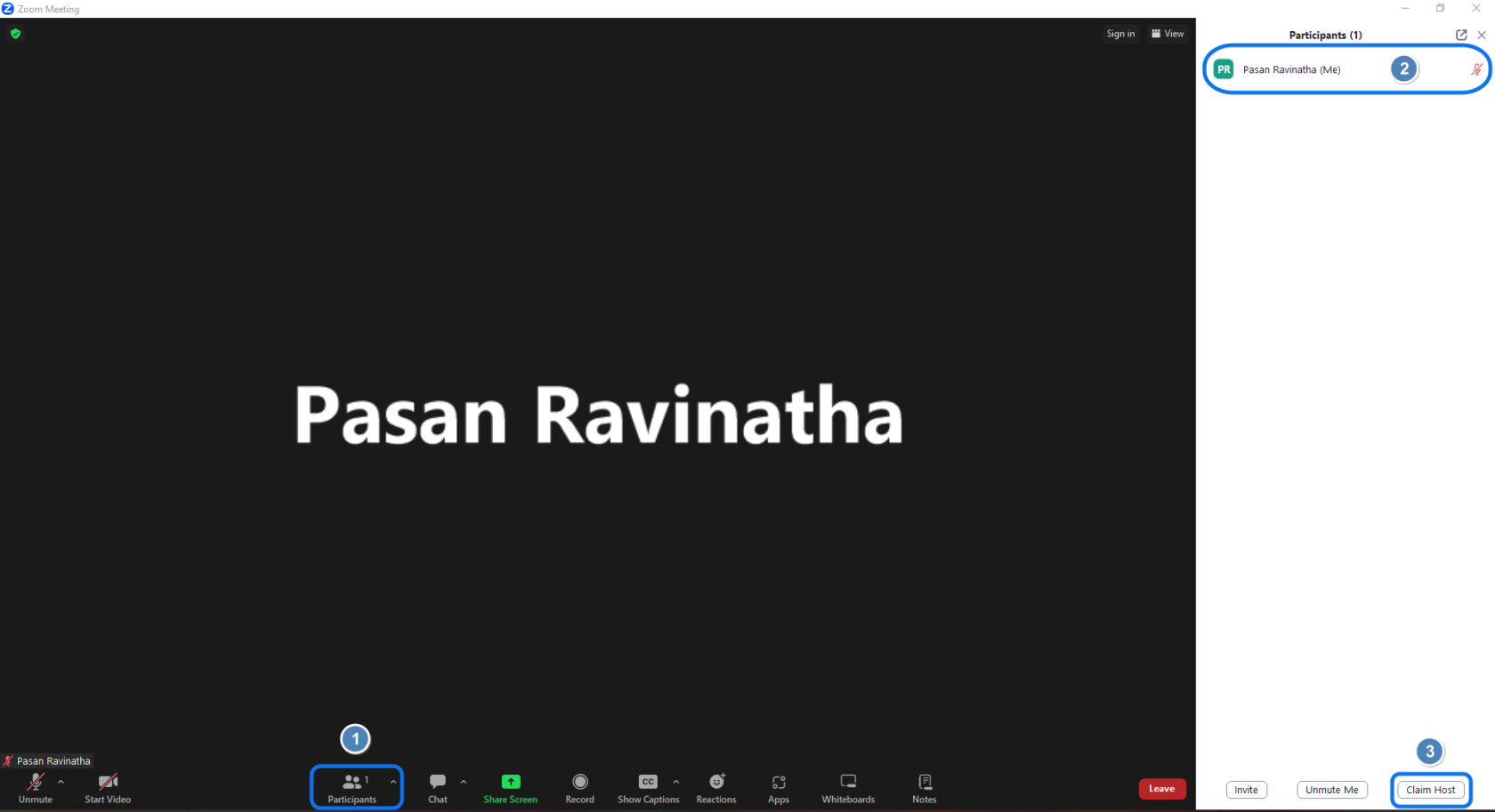
[Join](https://ws.learn.ac.lk/wiki/ZoomInstWorkshops/zoomguide/joinmeeting) the Zoom meeting. Click on Participants1, Check if you have the host role 2. If not, click on the Claim Host button 3.
[](https://wiki.uom.lk/uploads/images/gallery/2023-12/rdjkw3OKMBcAOcj9-image.png)
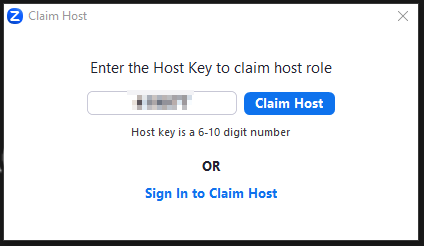
Then enter the Host Key and click on Claim Host.
[](https://wiki.uom.lk/uploads/images/gallery/2023-12/AketZqEAwJy5vMag-image.png)
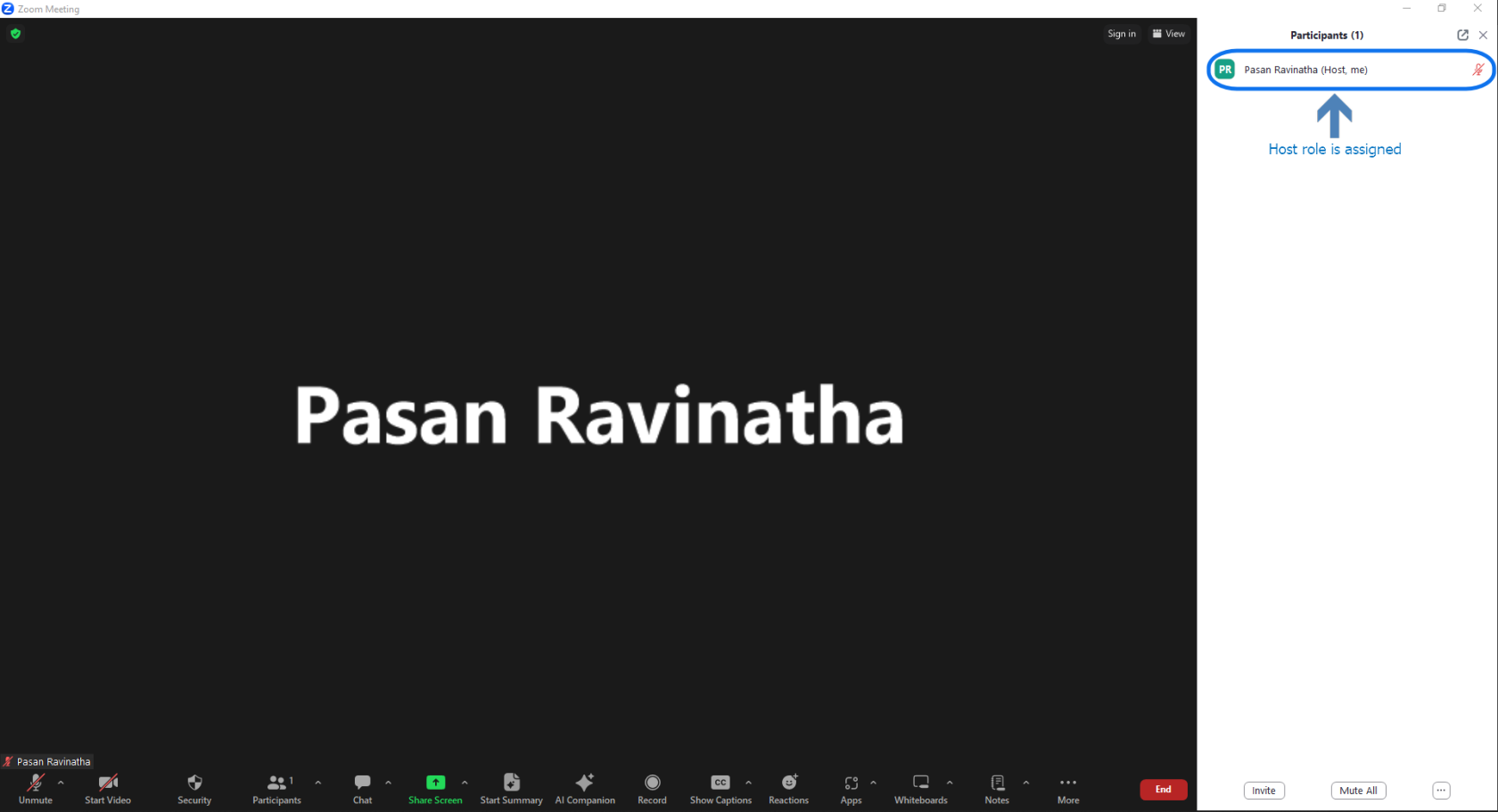
Check if you have the host role assigned.
[](https://wiki.uom.lk/uploads/images/gallery/2023-12/i80nrvXBYJwu4dXS-image.png)