Proxy Settings guide
This comprehensive article is designed to guide every user within the University of Moratuwa (UoM) through the process of independently enabling and configuring proxy settings on internal computers. Discover step-by-step instructions that empower users to seamlessly manage their proxy configurations, ensuring a smooth and secure online experience across the university's network. Take control of your online privacy and connectivity with this user-friendly tutorial, tailored to meet the specific needs of UoM's diverse user base.
Proxy setting for UoM internal devices step by step guide
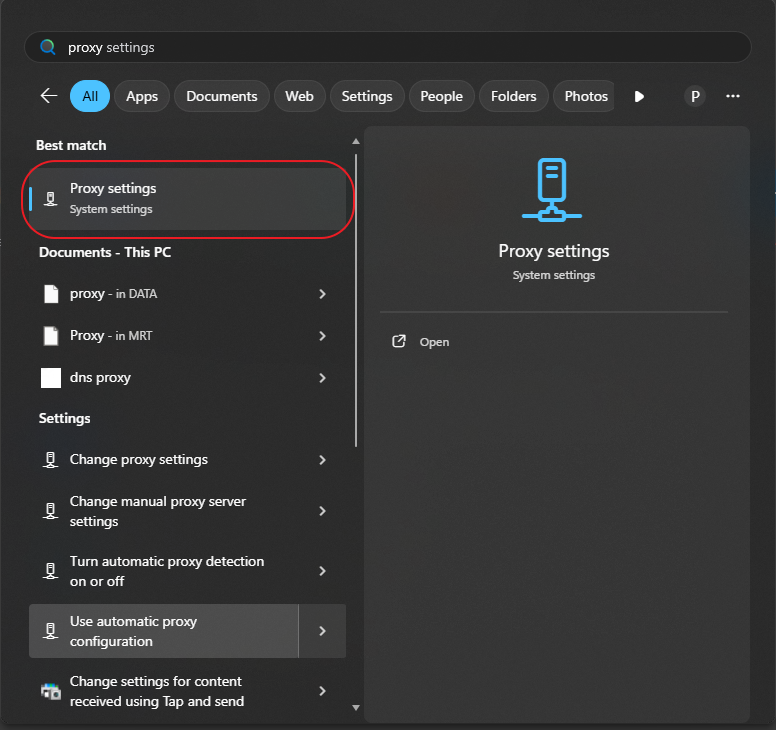
Open Start Menu and search for "Proxy settings" and open it.
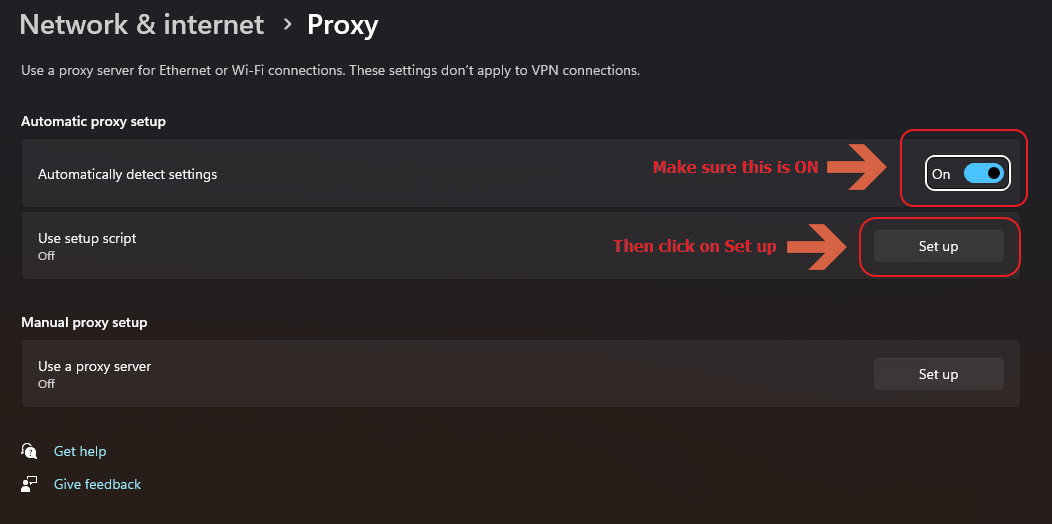
Beforehand, remove existing proxy settings if you have any. Then turn on "Automatically detect settings" then click on "Set up".
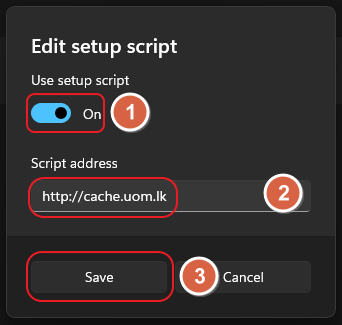
Turn on "Use setup script" and enter
http://cache.uom.lkas the script address, and click save.
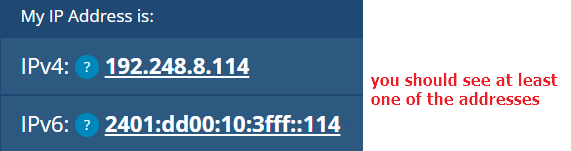
Open up your favorite browser, make sure your browser proxy settings are not altered, do a google search for "what is my IP address" click on the first link. or visit https://whatismyipaddress.com/ you should see at least one of the below addresses.
Proxy settings for UoM external users
To access UoM subscribed external educational repositories from your home via UoM External Web Proxy please follow these steps.
Step 1
- Goto your Browser's Proxy Settings
Step 2
- For HTTP Proxy address, enter cache2.uom.lk
- For port, enter 3128
- Save your configuration.
Step 3
- Once you are prompted with the authentication dialog, enter your UoM credentials.
Please note that UoM External Web Proxy will not work within the university network.
Important Notice
- This service is strictly for educational purposes. You can only access UoM-subscribed external educational repositories.
- Any detection of an illegal activity will cause the user to be permanently banned from the service, and the corresponding UoM account will be disabled without prior notice.