If you are part of **Batch 26 and above DO NOT follow** the instructions below.
**Microsoft Windows and Microsoft Project are available now.**
Log in to the [Azure Education Portal](https://signup.azure.com/studentverification?offerType=1) with your Office 365 credentials.
(If you have not created a Microsoft account using uom.lk email, please follow the instructions located on the previous page and create a Microsoft account first. After creating this account Log in to [Azure Education Portal](https://signup.azure.com/studentverification?offerType=1) using your newly created credentials.)
You may be required to **verify your account** once you enter MS Account Credentials for the MS Azure link. **Use your @uom.lk account for verification**.
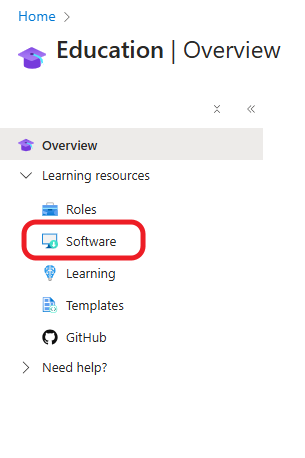
Click on Software Under Learning Resources on the left.
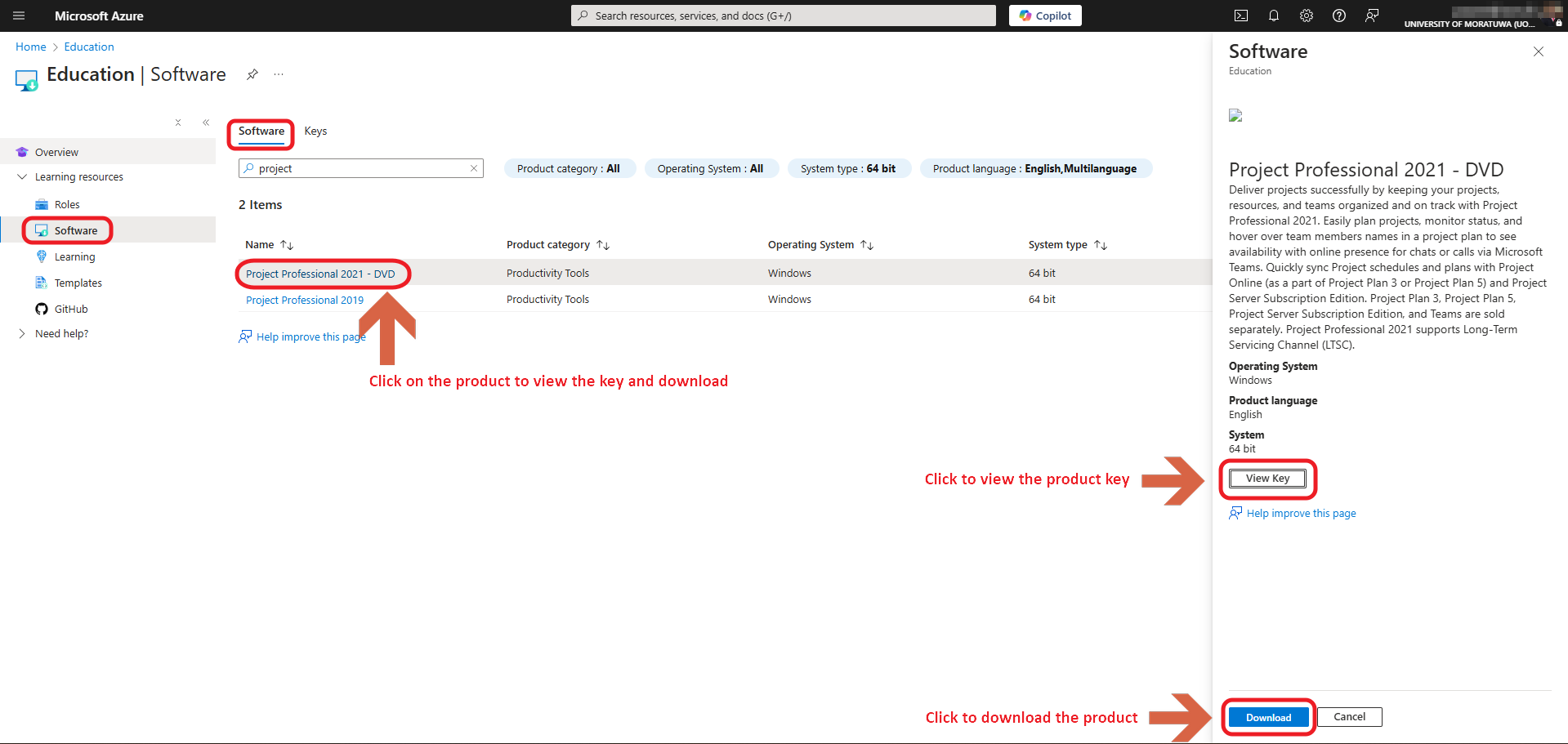
[](https://wiki.uom.lk/uploads/images/gallery/2025-02/ZCoeDh6Ro892UXPW-image.png)Click on the required Product you wish to download under the software tab, and click on "View Key" to obtain the key, Click on "Download" to download the product
[](https://wiki.uom.lk/uploads/images/gallery/2025-02/B5suxjlTXjw8AO2m-image.png)